
Start with “Hey Beckon” or ⌘⌥J.
Say "Hey Beckon," press ⌘⌥J, or click the floating circle. It's ready whenever you are, from any app, and your voice is never saved.
Beckon lives in your MacBook's notch. Ask for hotels and get a ranked answer with real prices and links in about 16 seconds. Voice control, windows, files and your Claude Code sessions run on your Mac and are free forever.
Ask out loud. Hotels with real prices and links in about 16 seconds.
Free to keep in your notch.
Pro when it does the work.
The things you do a hundred times a day run on your Mac, so they cost nothing. The AI that
researches, answers and keeps watch is Pro.
Say "Hey Beckon," press ⌘⌥J or click the floating circle. The wake word, speech recognition and Beckon's voice all run on the Mac, and your voice is never saved.
AI that does the legwork and comes back with something you can act on. Research can look, but it never logs in, buys, submits or sends anything for you.
Opening apps, arranging windows, drafting emails, finding a file: each one usually means a menu, a shortcut or another app. With Beckon you just say it, several things in one sentence if you like.
Say "Hey Beckon," press ⌘⌥J, or click the floating circle. It's ready whenever you are, from any app, and your voice is never saved.
Beckon learns the people, places, and projects you talk about, so it spells them right the first time.
Ask for three things in one breath and they all get done. It checks with you before anything you can't undo.
A tidy screen, just by saying so: "move this to the left half," "spread my windows," "put them back."
One word opens everything for a project: apps, sites, and folders. Say "close design" when you're done.
Say "email Sarah that the demo moved to 3pm" and the draft is waiting in Gmail. Add notes, reminders, and events without typing. Nothing sends without you.
Get the gist of any page without reading it: "summarize this page," "does this mention batteries?"
Find "the PDF from yesterday" or "what I copied earlier" in seconds, then drag it wherever you need it.
⌘-right-click anything on screen for a quick explanation, or to rewrite the text you've selected.
Meeting notes are transcribed on the Mac with a summary and to-do list when the call ends. "Where was I?" brings back 30 days of apps, tabs and docs. Files convert locally, with no uploads and no watermarks.
Pro
Stay in the conversation. A clear summary and a to-do list are ready the moment the call ends.
Works with Zoom, Meet, Teams, FaceTime, and Slack. Audio never leaves your Mac.
Free · 30 days of history
Say “where was I?” and get your apps, tabs, and docs back in one tap.
Free
Say “convert,” drop your files in, and drag out the results. No apps, no upload sites, no watermarks. Your files never leave your Mac.
When a Claude Code session wants to run something or asks a question, the notch shows it wherever you are. Allow, deny with a note, or pick an answer. Usage limits, GitHub checks and Vercel deploys sit beside it. Read-only, and tokens stay in your Mac's Keychain.
When a session wants to run something or asks you a question, the notch shows it wherever you are. Allow it, deny it with a note, or pick an answer. The terminal never waits on Beckon: whoever answers first wins.
A dot beside the notch for each session. Click one to jump straight to its terminal, in Terminal, iTerm or VS Code.
Stepped away? Beckon says "site-redesign needs you" out loud.
Claude Code and Codex limits, read from their own logs on your Mac. Codex reports exact numbers; Claude's are an estimate.
GitHub checks and the reviews waiting on you, and every Vercel project you care about, personal and work. Read-only. Tokens stay in your Mac's Keychain.
Comparing hotels or flights usually means a dozen tabs and half an hour, and typical research agents take two to five minutes. Beckon comes back with a ranked recommendation, prices, times and links you can act on. Pick a use case to watch it run.
Try: "Best hotels in Tokyo under $250 a night."
Beckon checks the airlines' own websites, every nearby airport and mixed-airline itineraries, then ranks the three cheapest. When the lowest fare means two separate tickets, it says so, so you can decide whether the savings are worth it.
Try: "Find the cheapest flights to Lisbon in June."
Chicago → Lisbon
Round trip · June
Out on United, back on TAP Air Portugal
Tell Beckon to keep an eye on a fare, a price, a job posting or a page. It checks up to once a day, and when something changes the notch shows you what changed. One click opens it.
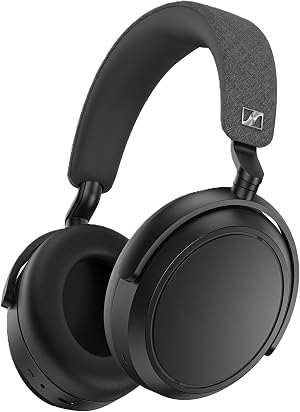
Try: "Tell me when the Sony XM5 drops below $300."
Press ⌃⌥⌘A and draw a box around a formula, a chart, a code error or a paragraph in another language. A plain-English answer starts streaming right beside it. No copying, no pasting, no new tab.
Listening for “Hey Beckon,” understanding your voice and Beckon's own voice. Meeting audio is transcribed on the Mac and never kept.
Research, answers, drafts, meeting summaries and Ask about this send only what each request needs. Requests pass through Beckon's server, which doesn't store their content.
Activity history stays on the Mac for 30 days. Banking and health sites are never recorded, and “forget the last hour” erases recent history.







Lucía M. · Study group
¿Por qué la fotosíntesis se estanca cuando hay demasiada luz? No entiendo la gráfica 8.4.